Paint Like Rembrandt.
Edit Like You.
Transform your photographs into painterly, Old Master-inspired artwork using colour, texture and light.
Creating Old Master-Inspired Photo Art
Join Simon Childs for a practical online workshop showing you how to create atmospheric, Old Master-inspired photo art from your own images using historic colour palettes, painterly textures, LUTs, swatches and Photoshop-based techniques.
This is not a preset-pack demonstration or a one-click filter session.
You'll learn how to use the colour language of the Old Masters — shadow, warmth, highlight, texture and restraint — to give your photographs more depth, mood and painterly harmony.
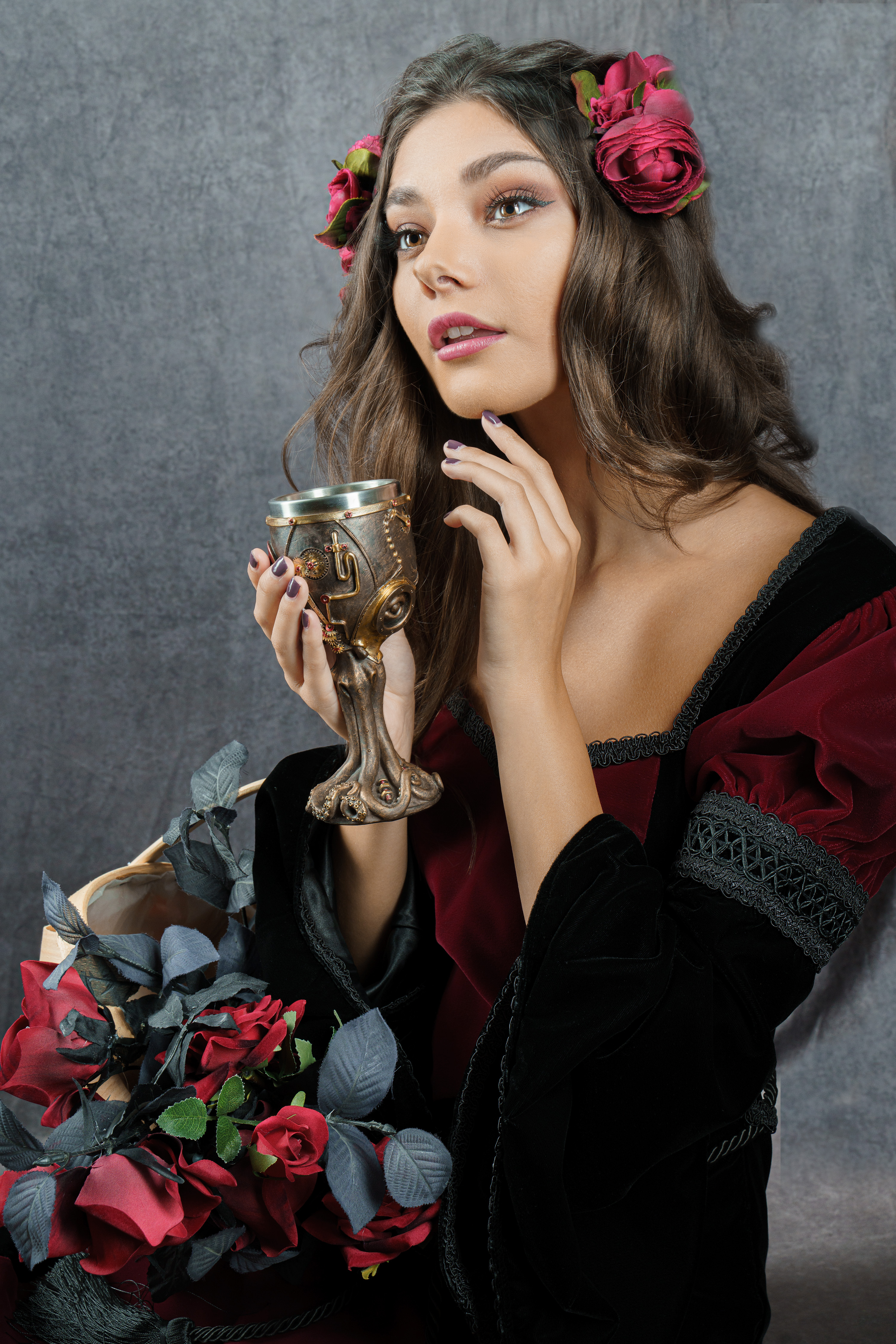
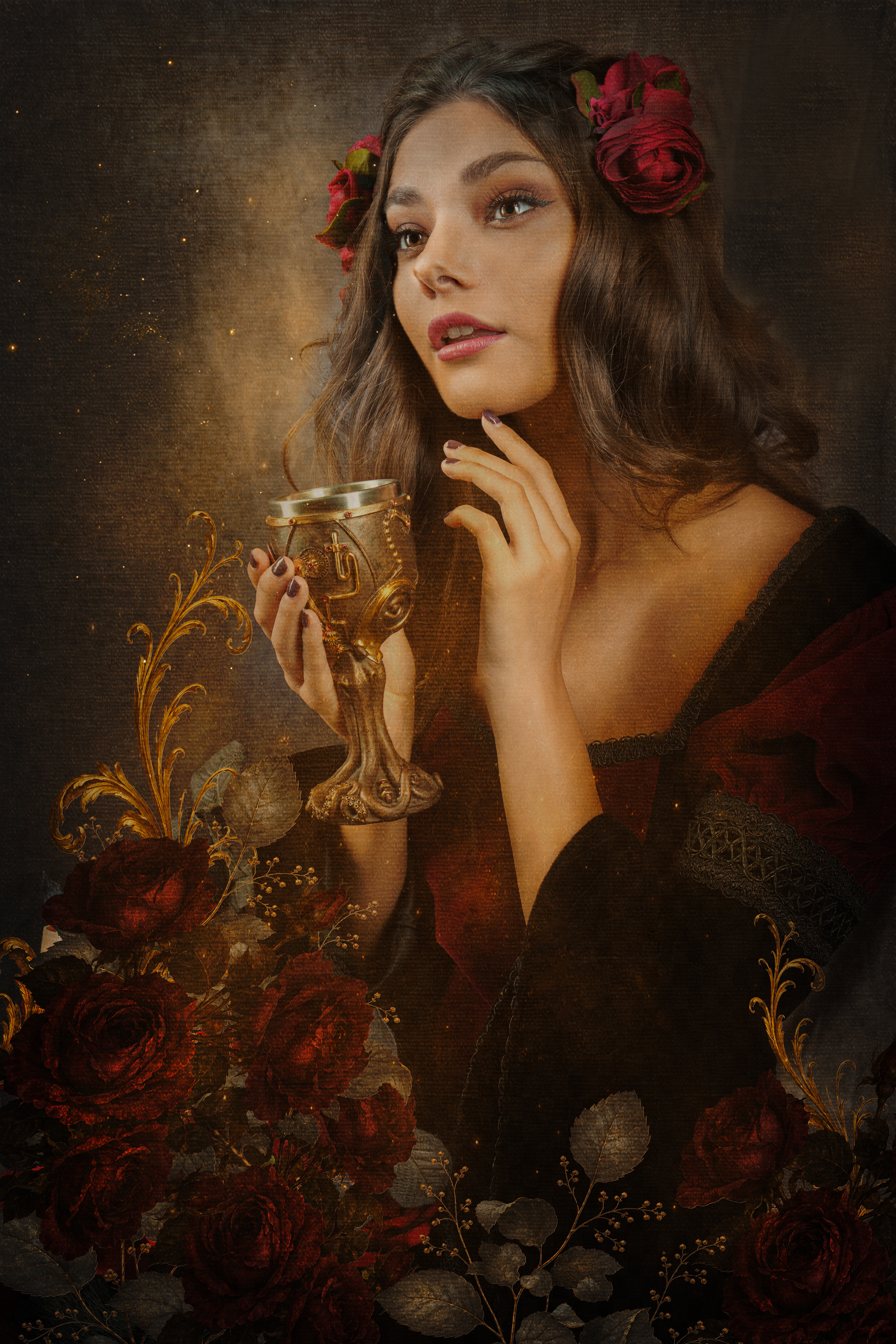
See what changes when colour has a job.
A painterly edit is not about adding more. It is about choosing better. The right shadow colour can create depth. The right texture tone can soften the surface. The right highlight warmth can guide the eye.
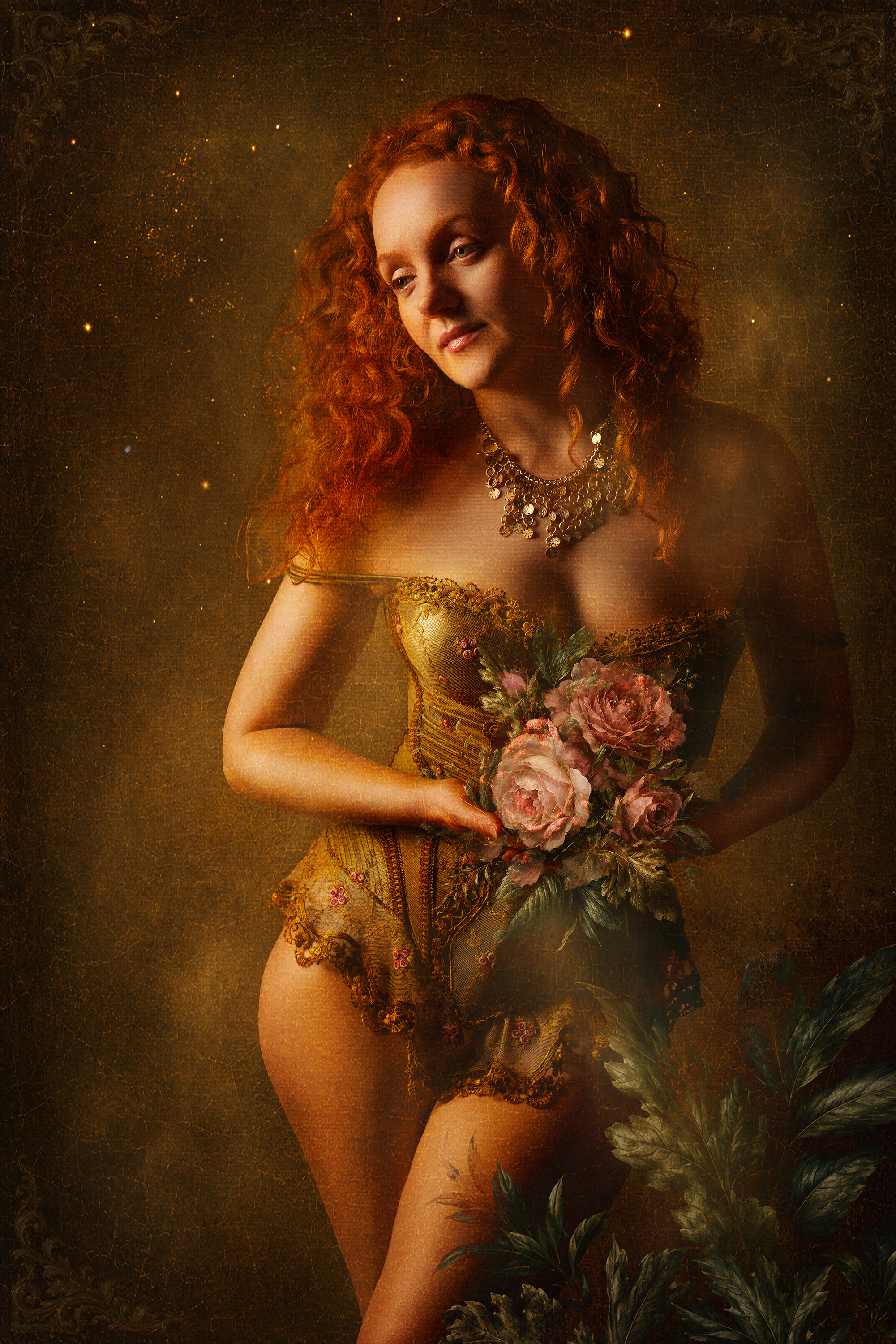
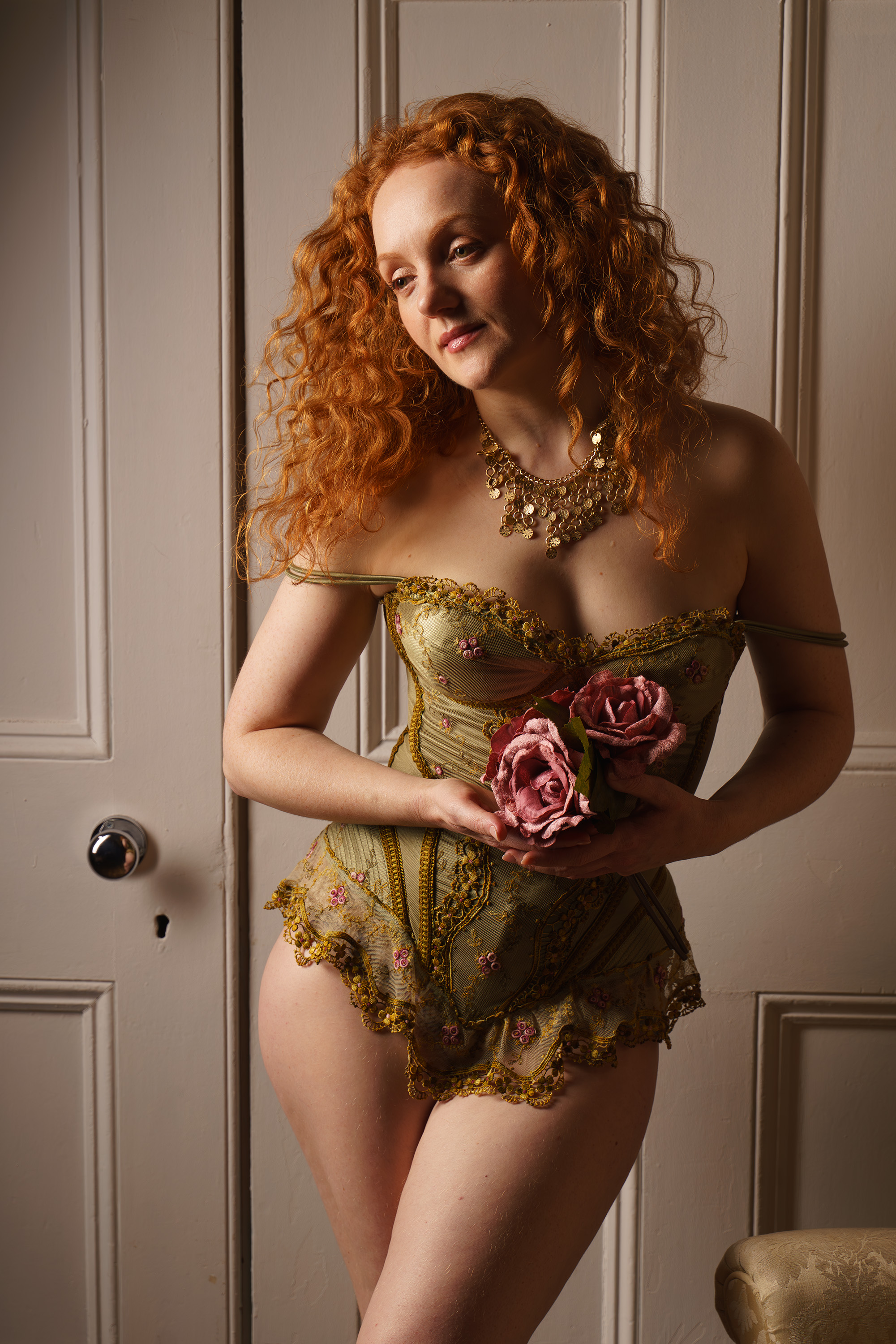
Drag the slider to see the transformation. In the workshop, Simon will walk through every step of this edit live.
The Old Masters knew how to hold the eye.
They did it with shadow.
With warmth.
With glow.
With restraint.
Their paintings still feel alive because every colour has a job. The darks create drama. The earth tones hold the texture. The highlights guide attention. The accent colour gives the image its spark.
This workshop shows you how to bring that same visual thinking into your own photographic edits.
Not by copying paintings.
Not by adding a heavy preset.
But by learning how to use colour, texture and light with more intention.
Inspired by artists such as Rembrandt, Vermeer, Leonardo, Caravaggio and Titian, this workshop will show you how to work with historic colour palettes in a modern creative editing workflow.
What you'll create
In Creating Old Master-Inspired Photo Art, you'll learn how to take a photograph and develop it into a more painterly, atmospheric image using a structured Old Master-inspired workflow.
You'll see how to choose a palette, apply colour with restraint, build texture without overwhelming the image, shape your shadows, warm your highlights and finish the piece so it feels harmonious rather than over-processed.
The aim is not to make your photo look fake.
The aim is to make it feel more finished, more artistic and more emotionally rich.
The result
Images with more:
A repeatable colour workflow, not a random art effect.
The workshop is built around a practical five-colour method you can use again and again.
Shadow bias. Texture base. Highlight glow. Accent colour. Unifying neutral.
The Old Master colour workflow
This simple structure gives you a way to make better creative decisions. Instead of asking, “Which preset should I use?” you start asking better questions:
“Where should the shadow lead the eye?”
“What colour should the texture carry?”
“Where does the warmth belong?”
“Which single accent will make the image sing?”
“What neutral will hold everything together?”
That is where the edit starts to feel like art.
Shadow Bias
Use the darkest colour to shape the shadows and guide mood, depth and atmosphere.
Texture Base
Use a mid-earth tone as the base for painterly texture, so overlays feel part of the image, not pasted on top.
Highlight Glow
Use warm cream or flesh tones to lift the highlights and create softness.
Accent Colour
Choose one carefully chosen accent colour to bring the image to life without overpowering it.
Unifying Neutral
Bring the palette together so the final piece feels balanced, harmonious and painterly.
Same method, different subject
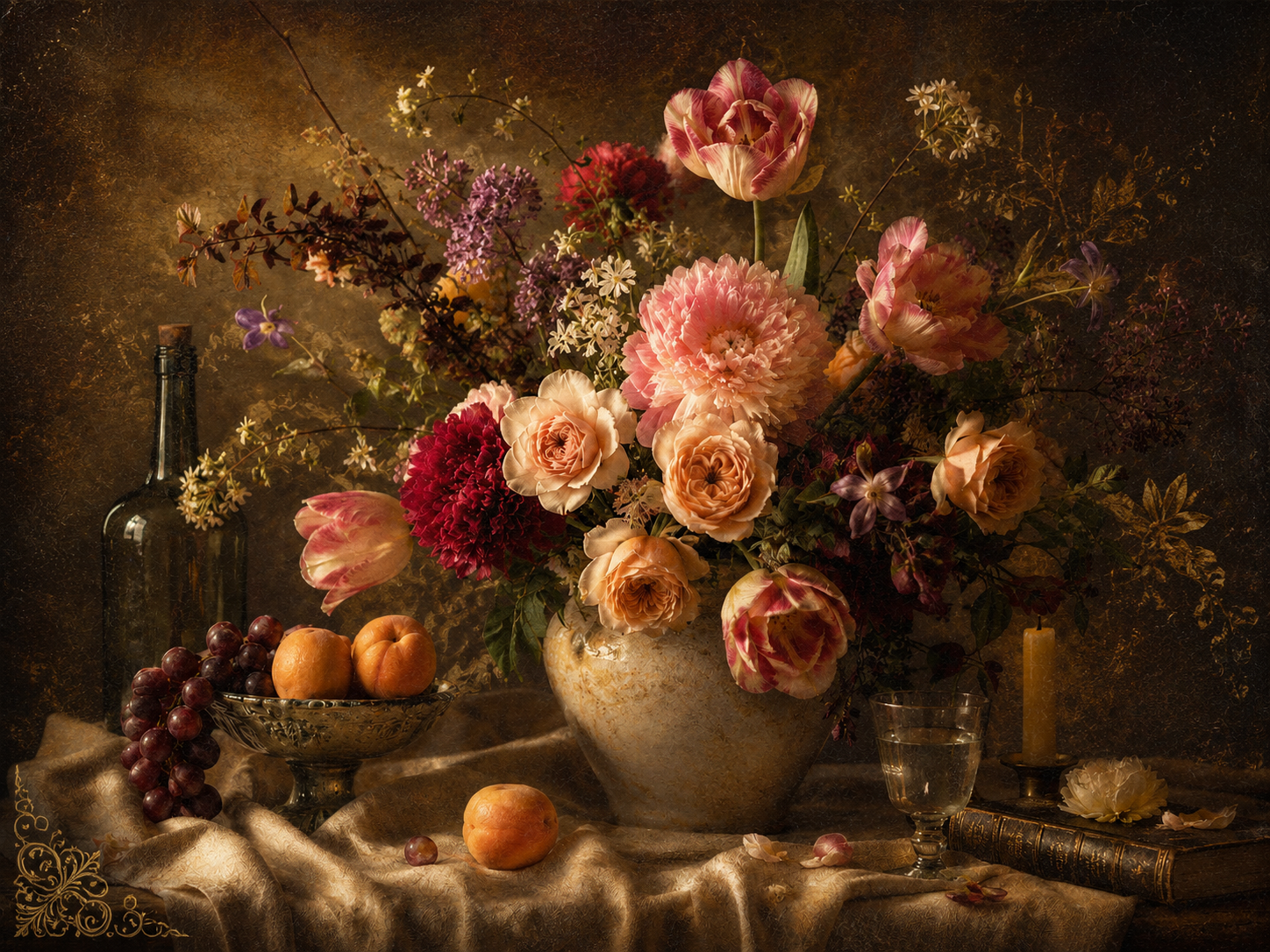
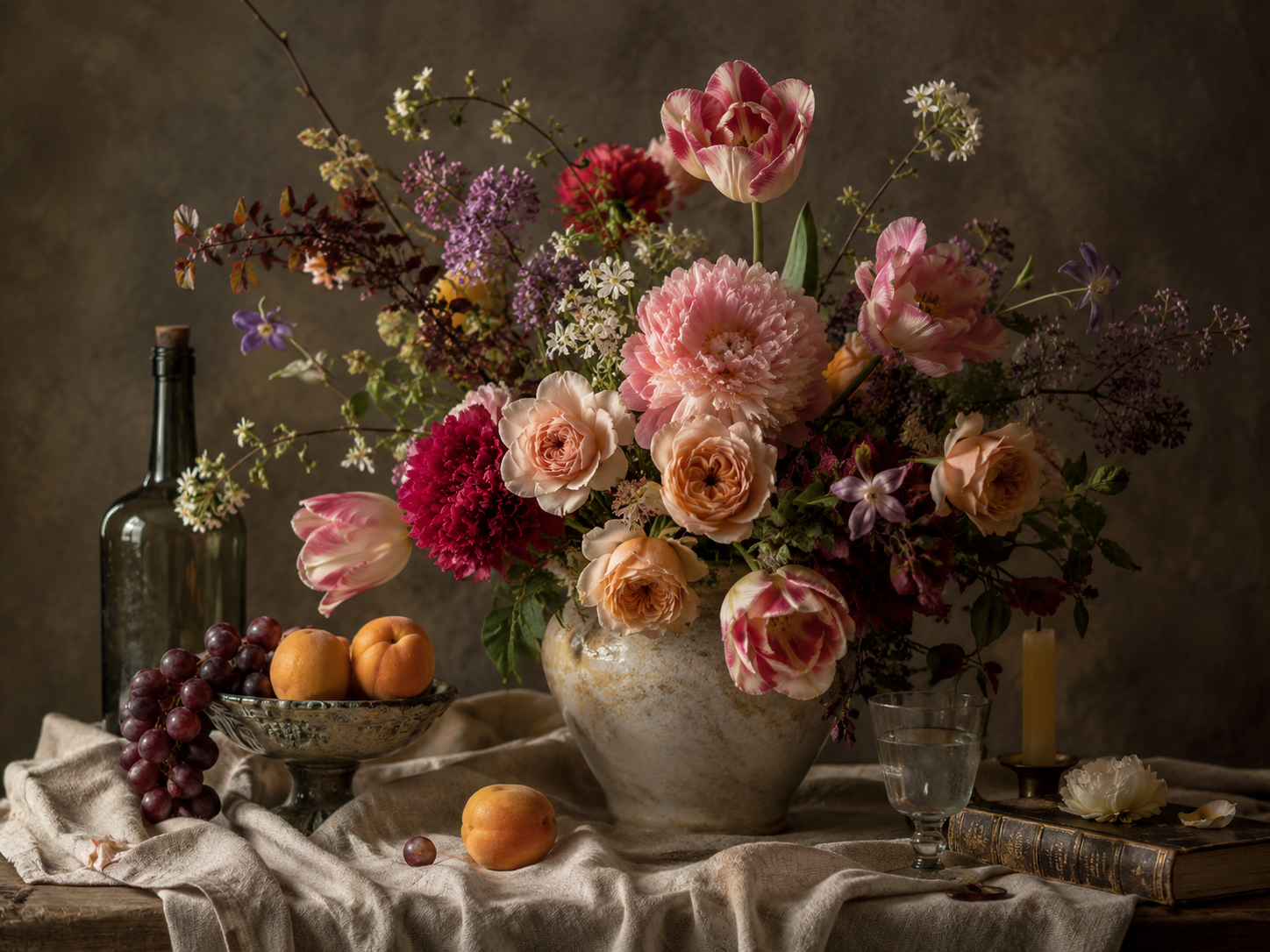
It works on still life, not just portraits.
The five-colour method adapts to any image. A Dutch Golden Age still life uses the same shadow–texture–highlight–accent–neutral thinking — just with different weight and warmth.
Rembrandt palette
Shadow bias + warm gold
Dutch Golden Age palette
Texture + highlight glow
Vermeer palette
Soft light + cool neutrals
Caravaggio palette
Dramatic darks + accent warmth
In the workshop, you'll see how these choices work together across different image types to create a more atmospheric final result.
What you'll learn in the workshop
Use Old Master-inspired colour palettes in a modern editing workflow
Learn how to take historic colour palettes and apply them to your own photographs in a practical, modern editing workflow.
Create atmosphere through shadow, warmth and highlight control
Understand how darker tones, warm highlights and controlled contrast can create depth, drama and mood.
Apply texture overlays with subtlety and artistic control
Use painterly overlays in a controlled way so they support the image rather than overpower it.
Use LUTs and swatches as creative starting points
Use LUTs, Photoshop swatches and Adobe swatches as starting points for interpretation, not one-click effects.
Avoid heavy, over-processed filter effects
Learn how to create painterly edits without making the image feel heavy, artificial or overworked.
Use one accent colour with restraint and intention
Discover why one carefully placed accent colour is often stronger than a busy palette.
Create images with more depth, mood and visual harmony
Build a painterly finish using a structured workflow that brings colour, light and texture together.
Your ticket includes workshop resources
Every ticket includes access to the live workshop and creative resources. Choose the Starter Pack or upgrade to the VIP Creative Pass for the complete toolkit.
Some supplied files, including Adobe swatches, are designed specifically for Photoshop / Adobe workflows. Textures and LUTs can be used more broadly where supported by your editing software.
Included with Early Bird & Standard
Everything you need to follow the workshop and start applying the Old Master-inspired colour workflow to your own images.
Live workshop access
A practical session with Simon showing the method in action.
7-day replay access
Revisit the workshop content at your own pace for 7 days after the live session.
Guide to the Colours of the Old Masters PDF
A clear guide to the colour workflow and how to use each palette.
5 starter textures
Painterly texture resources designed for atmospheric, fine-art style overlays.
3 starter LUTs
Creative colour starting points to help you explore mood and tonal direction.
Basic swatch file
Ready-to-use colour swatches for your editing workflow.
Included with VIP Creative Pass
Everything included with Early Bird & Standard, plus:
Extended replay access
Access the replay for as long as the workshop remains hosted.
Photoshop Guide PDF
An additional guide focused specifically on the Photoshop workflow.
Full texture pack
The complete collection of painterly texture resources.
Full LUT collection
The complete set of creative colour LUTs for mood and tonal exploration.
Photoshop / Adobe swatches
Full swatch files for Photoshop and broader Adobe use.
The VIP Creative Pass is designed for those who want the complete toolkit to keep working with the method after the live session.
You are not just buying a seat in a workshop.
You are getting the method, the demonstration and the creative tools to start building your own Old Master-inspired edits.
Restraint is the edit
The best edits feel inevitable, not imposed.
When the palette is right, the edit doesn't fight the photograph. Ivory tones and restrained warmth let the natural light do the work — the shadows deepen, the highlights soften, and the whole image settles into something more painterly without ever looking over-processed.
This is the kind of edit you'll learn to create yourself — atmospheric, intentional and uniquely yours.
Inspired by historic colour, built for modern editing.
The palettes and resources take creative inspiration from the colour worlds of major works including The Virgin of the Rocks, Girl with a Pearl Earring, The Night Watch, Supper at Emmaus, Bacchus and Ariadne, Las Meninas, Venus and Mars, Claude Lorrain landscapes and more.
Together, they give you a practical starting point for creating painterly, atmospheric edits with more depth, mood and visual harmony.
Who this workshop is for
This workshop is ideal for:
You do not need to be an advanced Photoshop user. Basic editing confidence is enough. This is for image-makers who want beautiful, creative results — and a clearer method for achieving them.
This is not for you if:
And that is perfectly fine. This workshop is about creative exploration, not quick fixes.
Book your place
Choose the ticket that suits you best
Early Bird
Workshop + Starter Pack
Available until Tuesday 23 June 2026 at 11.59pm UK time, unless the limited Early Bird allocation sells out first.
Includes:
Standard
Workshop + Starter Pack
Available after the Early Bird allocation sells out.
Includes:
VIP Creative Pass
Full Creative Toolkit
The complete toolkit to keep working with the method after the live session.
Includes:
Event details
Date
Tuesday 30 June 2026
Time
6:00pm UK / 1:00pm Eastern / 10:00am Pacific
Platform
Zoom
Replay
7-day (Standard) / Extended (VIP)
Software
Photoshop & Luminar Neo
Access
Public workshop
The demonstration will use Photoshop and Luminar Neo, but the core principles can also be applied in other layer-based editing software. Some resources are specific to Photoshop / Adobe workflows. Workshop access details and resource links will be sent by email. The replay will be made available after the live session.
Questions
Create photographs with the mood of a painting.
Join Simon on Tuesday 30 June 2026 and learn how to transform photographs into painterly, Old Master-inspired artwork using colour, texture and light.
Choose the Early Bird or Standard ticket for the live workshop and starter creative pack, or upgrade to the VIP Creative Pass for extended replay access and the full creative toolkit.
Creating Old Master-Inspired Photo Art
Live online workshop with Simon Childs
Tue 30 June 2026 · 6:00 PM BST